

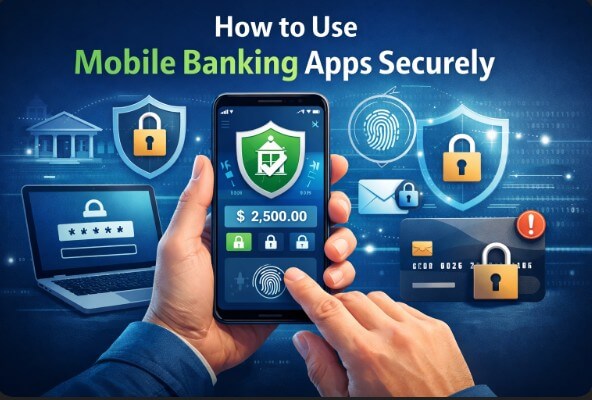
Learning how to use mobile banking apps securely is critical in 2025 as cyber threats evolve. Your smartphone offers convenience, but without proper precautions, it risks exposing your life savings to hackers.
This guide provides actionable, step-by-step strategies to lock down your financial data today.
- Key Security Takeaways
- Is Mobile Banking Safe? (Understanding the Risks)
- Top 10 Best Practices for Mobile Banking Security
- 1. Avoid Public Wi-Fi Networks & Bluetooth
- 2. Enable Multi-Factor Authentication (MFA)
- 3. Use Biometric Authentication
- 4. Set Up Real-Time Transaction Alerts
- 5. Update Your Banking App and OS Regularly
- 6. Create a Unique, Strong Password
- 7. Download Apps Only From Official Stores
- 8. Beware of Phishing and “Smishing” Texts
- 9. Log Out After Every Session
- 10. Check Your Accounts Frequently
- Advanced Security: Beyond the Basics
- Mobile Banking Fraud Liability (Regulation E)
- What to Do If Your Mobile Banking App Is Hacked
- Frequently Asked Questions (FAQs)
- Conclusion
Key Security Takeaways
Before diving into the details, here is a quick summary of the most effective measures you can take immediately.
| Security Measure | Protection Level | Implementation Time |
|---|---|---|
| Enable 2FA/MFA | High | 2 Minutes |
| Avoid Public Wi-Fi | Critical | Instant |
| Biometric Login | Medium | 1 Minute |
| Transaction Alerts | High | 5 Minutes |
| Remote Wipe Setup | Critical | 3 Minutes |
Is Mobile Banking Safe? (Understanding the Risks)
Many users ask, “Is mobile banking actually safe?” The answer is yes, but only if you actively manage your security settings. Banks invest billions in encryption and fraud detection, yet they cannot stop a thief if you leave your digital front door unlocked.
While desktop banking often suffers from browser-based malware, mobile apps are generally more secure because they operate in “sandboxed” environments. However, risks like smishing (SMS phishing) and insecure networks remain prevalent. Therefore, understanding the shared responsibility between you and your bank is the first step toward safety.
Common Mobile Banking Security Risks You Should Know
Public Wi‑Fi and Bluetooth Attacks
Using banking apps on public Wi‑Fi networks (cafés, airports, hotels) exposes your data to interception attacks. Open Bluetooth connections can also be exploited by nearby attackers.
Phishing and Fake Banking Apps
Cybercriminals use fake emails, SMS messages (smishing), and look‑alike apps to steal login credentials and one‑time passwords.
Lost or Stolen Devices
If your phone is not locked or encrypted, anyone who gains access may reach your banking apps.
Outdated Apps and Operating Systems
Unpatched apps and operating systems contain known vulnerabilities that attackers can exploit.
Top 10 Best Practices for Mobile Banking Security
To ensure your finances stay protected, follow these ten actionable steps. This workflow covers everything from network safety to authentication protocols.
1. Avoid Public Wi-Fi Networks & Bluetooth
Public Wi-Fi is a hacker’s playground. Cybercriminals often set up fake hotspots in coffee shops or airports to intercept data. Consequently, if you log into your bank account on an open network, an attacker could capture your credentials.
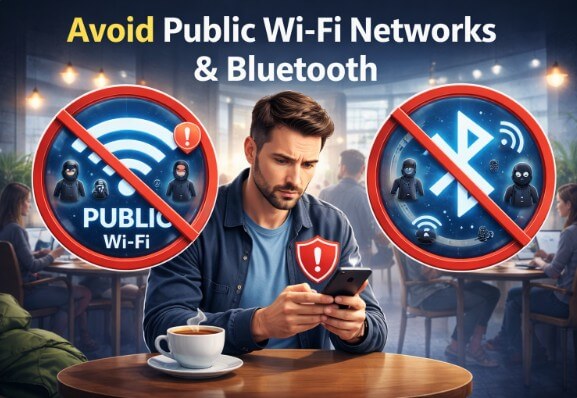
Action Step: Always disconnect from Wi-Fi and use your cellular data (5G/4G) when checking your balance. Additionally, turn off Bluetooth when not in use to prevent “Bluebugging”—a technique where hackers access your device via open Bluetooth connections.
2. Enable Multi-Factor Authentication (MFA)
Passwords alone are no longer sufficient. Multi-Factor Authentication (MFA) adds a second layer of defense, ensuring that even if a hacker steals your password, they cannot access your account.
Action Step: Go to your app’s security settings and enable MFA. opt for an authenticator app (like Microsoft Authenticator or Google Authenticator) rather than SMS codes, as text messages can be intercepted via SIM-swapping attacks.
3. Use Biometric Authentication
Most modern banking apps support FaceID or Fingerprint scanning. These biometric features are unique to you and extremely difficult to replicate, making them safer than typing a password in public where “shoulder surfers” might see.
Action Step: Activate biometric login in your app settings. This not only boosts security but also speeds up your login process.
4. Set Up Real-Time Transaction Alerts
One of the best ways to spot fraud is to see it happen instantly. Most banks allow you to configure “Push Notifications” for every transaction over a certain dollar amount (e.g., $1.00).
Action Step: Configure alerts for withdrawals, transfers, and international charges. If you receive a notification for a purchase you didn’t make, you can freeze your card immediately.
5. Update Your Banking App and OS Regularly
Software updates often contain critical security patches that fix vulnerabilities. Ignoring these updates leaves your device open to exploits that hackers have already discovered.
Action Step: Enable “Automatic Updates” on your Apple App Store or Google Play Store to ensure you always have the latest security definitions.
6. Create a Unique, Strong Password
Do not recycle passwords. If you use the same password for Netflix and your bank, a breach at Netflix compromises your bank account.
Action Step: Use a password manager to generate and store a complex, unique password for your banking app. It should contain a mix of uppercase letters, numbers, and symbols.
7. Download Apps Only From Official Stores
Sideloading (installing apps from third-party websites) is a major security risk. These files often contain hidden malware designed to steal login credentials.
Action Step: Only download banking apps directly from the official Apple App Store or Google Play Store. Check the developer name to ensure it matches your bank exactly.
8. Beware of Phishing and “Smishing” Texts
Scammers often send text messages claiming your account is “locked” and asking you to click a link. This is called smishing. legitimate banks will never ask for your PIN or password via text.
Action Step: If you receive a suspicious text, do not click the link. Instead, open your mobile banking app directly to check for any official messages.
9. Log Out After Every Session
Although apps eventually time out, leaving them running in the background can be risky if your phone is stolen while unlocked.
Action Step: Get in the habit of manually tapping “Log Out” every time you finish a session.
10. Check Your Accounts Frequently
Monitoring your accounts helps you catch suspicious activity early. Mobile apps make this easy since you carry the “branch” in your pocket.
Action Step: Review your transaction history at least once a week. Frequent checks ensure that small, unauthorized “test charges” don’t go unnoticed.
Advanced Security: Beyond the Basics
To truly secure your mobile banking experience, you must look beyond the app and secure the physical device and data hygiene.
The Dangers of Jailbreaking and Rooting
You might be tempted to “Jailbreak” (iOS) or “Root” (Android) your phone to customize it, but doing so destroys your banking security. These processes strip away the operating system’s built-in sandboxing protections, allowing malicious apps to read data from your banking app.
Crucial Tip: Never perform mobile banking on a rooted or jailbroken device. Most banking apps will detect this and automatically block you from logging in.
Digital Hygiene: Clear Your “Downloads” Folder
A common oversight is downloading PDF statements to view them, and then leaving them in your phone’s “Downloads” or “Files” folder. If your phone is compromised, these files provide a roadmap of your financial life to thieves.
Action Step: Immediately delete any financial documents from your phone’s local storage after viewing them.
Use Digital Wallets for Tokenization
Surprisingly, paying with your phone (Apple Pay, Google Pay, Samsung Pay) is often safer than using your physical debit card. These services use Tokenization, meaning they create a unique, one-time code for the transaction. The merchant never sees or stores your actual card number, reducing the risk of card skimming.
Mobile Banking Fraud Liability (Regulation E)
It is vital to know your rights. In the United States, the Electronic Fund Transfer Act (Regulation E) provides consumer protections for errors and unauthorized transactions.
However, your liability depends on how quickly you report the loss. According to the Federal Trade Commission (FTC), if you report a lost card or unauthorized transfer within two business days, your liability is limited to $50. If you wait longer, you could be liable for up to $500 or more. This emphasizes why setting up real-time alerts is so crucial.
What to Do If Your Mobile Banking App Is Hacked
If you suspect your security has been compromised, act immediately:
- Remote Wipe Your Device: If your phone is stolen, use “Find My iPhone” (iOS) or “Find My Device” (Android) to remotely erase all data. This is the ultimate kill switch to protect your identity.
- Freeze Your Accounts: Use your mobile app (if accessible) or call your bank to freeze your debit/credit cards.
- Change Credentials: Update your password and PIN immediately.
- Scan for Malware: Run a reputable mobile antivirus scan to ensure your device is clean.
Frequently Asked Questions (FAQs)
Q: Is using a banking app safer than a browser?
A: Generally, yes. Official apps are heavily encrypted and less susceptible to the specific viruses that target web browsers. However, you must still keep the app updated.
Q: Can hackers access my bank account if my phone is stolen?
A: If you use strong biometric security (FaceID), do not write your passwords down in your “Notes” app, and use a unique screen lock PIN, it is very difficult for a thief to access your banking app.
Q: What is the safest way to bank on a mobile phone?
A: The safest method is combining a strong, unique password with biometric authentication, using the app only over a private cellular connection (not public Wi-Fi), and ensuring your phone is not jailbroken.
Conclusion
Mobile banking offers unparalleled convenience, but it requires a proactive approach to security. By implementing these strategies—specifically enabling MFA, avoiding public Wi-Fi, and practicing good digital hygiene like deleting downloaded statements—you can enjoy the benefits of digital finance without the fear of fraud.
Remember, the goal of learning how to use mobile banking apps securely is not just to protect your money, but to gain peace of mind. Take five minutes today to review your app’s security settings and turn on those notifications. Your future self will thank you.

IT Security / Cyber Security Experts.
Technology Enthusiasm.
Love to read, test and write about IT, Cyber Security and Technology.
The Geek coming from the things I love and how I look.